Close Menu
SkillTechnical
    Facebook X (Twitter) Instagram
    Trending
    • Can DeskPins Keep Any Window Always on Top?
    • How Slot Game Themes Are Created by Casino Game Designers
    • Sourcing On-Demand Commercial Electrical Panels for Fast-Track Construction Projects
    • Discover the Excitement of Modern Online Entertainment
    • Defender Dan Burn – Discovering the Thought-Provoked Transformation of the Defender
    • Secrets to Taking Your Team to the Top with Fantasy Premier League Tips
    • Vietnamese esports – Development, Passion, and a Bright Future
    • Total Points Betting – An Effective Strategy for Winning in Sports Betting
    Facebook X (Twitter) Instagram Pinterest Vimeo
    SkillTechnical
    • Home
    • Skill Development
    • Career Growth
    • Engineering Solutions
    • Industry Insights
    • Problem Solving
    SkillTechnical
    Home»Blog»Can DeskPins Keep Any Window Always on Top?
    Blog

    Can DeskPins Keep Any Window Always on Top?

    Zenith TeamBy Zenith TeamMay 31, 2026No Comments3 Mins Read
    Share Facebook Twitter Pinterest LinkedIn Tumblr Reddit Telegram Email

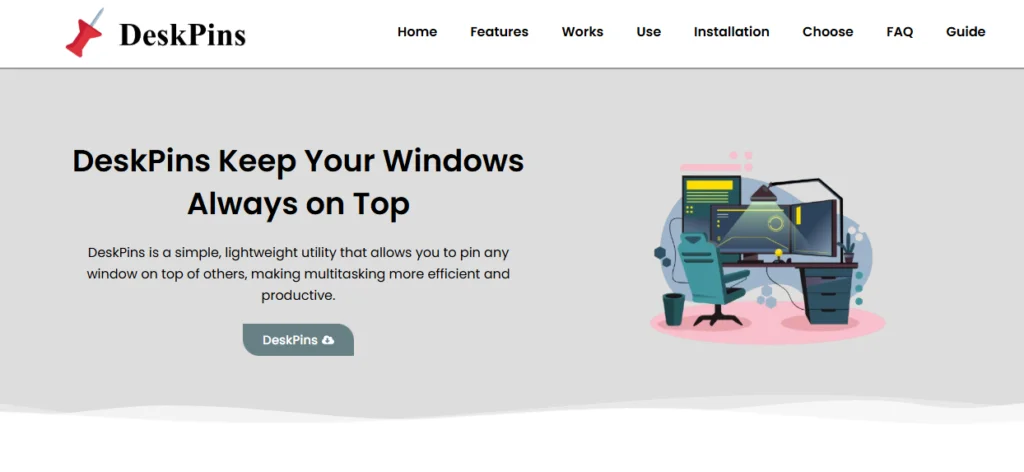
    Yes, DeskPins can keep most windows always on top in Windows. It is designed specifically for this purpose, allowing users to pin almost any application window so it stays visible above all other open windows.

    DeskPins works by applying Windows’ built-in “topmost” property to selected windows, which forces them to remain in the foreground.

    How Window Pinning Works

    When you pin a window using DeskPins, the tool marks that window as “always on top.” This means Windows will continuously keep it above other applications, even when you click or switch tasks.

    This feature is applied at the system level, so it does not depend on the application itself supporting pinning.

    Types of Windows You Can Pin

    In most cases, DeskPins can pin a wide variety of windows such as web browsers, text editors, media players, documents, calculators, and many other standard Windows applications.

    Because it works at the operating system level, it is not limited to specific programs.

    DeskPins is especially useful for general multitasking because of this wide compatibility.

    Limitations of Pinning

    Although DeskPins can pin many windows, there are some exceptions. Certain system-level windows or security-protected applications may not allow pinning due to Windows restrictions.

    For example, some full-screen applications or protected overlays may override the “always on top” setting.

    In such cases, the pin may not work as expected.

    Full-Screen Applications Behavior

    When a window enters full-screen mode, it often takes priority over normal windows. This can temporarily hide pinned windows.

    However, once the full-screen mode is exited, the pinned window usually returns to the top as expected.

    This is a limitation of how Windows manages display layers rather than a problem with DeskPins itself.

    Multiple Window Support

    DeskPins can keep more than one window on top at the same time. Each pinned window maintains its top position, allowing users to view multiple important tools simultaneously.

    This is useful for multitasking scenarios like working with notes, videos, and browsers together.

    Stability of the Feature

    The “always on top” behavior is stable and managed through Windows’ native system functions. Once applied, it remains active until the user manually removes the pin.

    DeskPins ensures that pinned windows stay consistent during normal use without requiring continuous user interaction.

    Why It Works So Well

    DeskPins works effectively because it does not rely on modifying applications. Instead, it uses a built-in Windows feature that controls window layering.

    This makes it compatible with most software and ensures reliable behavior across different types of applications.

    Conclusion

    Yes, DeskPins can keep most Windows applications always on top by applying the system-level “topmost” property. While some full-screen or protected windows may override it, it works reliably for the majority of everyday programs.

    DeskPins is a simple and effective solution for keeping important windows visible and improving multitasking on Windows.

    Previous ArticleHow Slot Game Themes Are Created by Casino Game Designers
    Zenith Team

    Related Posts

    Blog

    How Slot Game Themes Are Created by Casino Game Designers

    May 29, 2026
    Blog

    Sourcing On-Demand Commercial Electrical Panels for Fast-Track Construction Projects

    May 28, 2026
    Blog

    Discover the Excitement of Modern Online Entertainment

    May 24, 2026
    Add A Comment
    Leave A Reply Cancel Reply

    Search
    Recent Posts

    Why Businesses Need an Integrated Security Analytics Hub

    January 13, 2026

    Solving Everyday Problems Using the Engineering Design Cycle

    July 4, 2025

    Collaborative Problem Solving – A Guide to Effective Teamwork

    July 3, 2025

    Data engineering challenges 2025 – Insights into benefits and solutions

    June 28, 2025

    12 Powerful Creative Problem-Solving Techniques That Work

    June 25, 2025

    Future-Proof Your Career – The Top Skills Employers are Looking for in 2025

    June 23, 2025
    About Us

    SkillTechnical empowers engineers by sharpening technical abilities and building smarter solutions. We drive innovation and foster growth,

    crafting the skills needed to succeed in an ever-evolving world. Engineer smarter solutions for a brighter future. #SkillTechnical

    | ufa365

    Facebook Instagram YouTube Telegram
    Popular Posts

    12 Powerful Creative Problem-Solving Techniques That Work

    June 25, 2025362 Views

    Collaborative Problem Solving – A Guide to Effective Teamwork

    July 3, 2025321 Views

    The Impact of Globalization on Engineering – Opportunities and Challenges

    June 2, 2025159 Views
    Contact Us

    We welcome your feedback and inquiries at SkillTechnical. Whether you have a news tip, an advertising request, or need support, feel free to reach out.

    Email: contact@outreachmedia .io
    Phone: +92 305 5631208

    Address:317 Goldleaf Lane
    Newark, NJ 07102

    Copyright © 2026 | All Right Reserved | SkillTechnical

    • About Us
    • Contact Us
    • Disclaimer
    • Privacy Policy
    • Terms and Conditions
    • Write For Us
    • Sitemap

    Type above and press Enter to search. Press Esc to cancel.

    WhatsApp us